
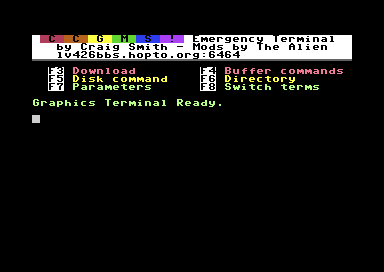
Help! I just purchased a C64 telnet modem (userport or swiftlink based), but I have no working terminal software. How can I get myself online?
If this sounds like the situation you are in, then you have come to the right place. It took me some time to get this setup, and it will require a bit of typing into your C64. However in the end you will have a fully featured version of CCGMS Future.
Here are the steps needed:
1) Type in Xmodem-client (optionally, type in and use proofreader to make sure you type it in correctly), save to disk.
2) If your modem is a Swiftlink/Turbo232 cartridge instead of a userport modem, also type in Swiftlink-patcher.
3) Load and run the Xmodem-client program (swiftlink type modem users first load and run the patch). You will be asked to choose the baud rate. Ultimately you will need to select 300 baud as the server itself only runs at 300 baud, due to anything faster not being very reliable with a terminal written completely in BASIC. However, if your modem comes defaulted at a different speed, you will need to choose the correct default rate, then in the terminal issue any needed commands to switch the modem to 300 baud instead. The commands to do this and save the changes can vary, please consult the instructions for your specific modem device. Once set to 300, you will need to reset your C64 and reload and choose 300 baud next.
4) Once you are able to issue AT commands at 300 baud, you will need to dial out to the file server I have setup. The telnet address is lv426bbs.hopto.org:6400 and for most modems you will need to type in ATDT lv426bbs.hopto.org:6400 , however some modems may have slight variations on the ATDT command used. Again, consult the instructions for your modem.
5) Once connected, the server should tell you to switch to download mode. Press F3 and after a few seconds you should see + symbols as it downloads the file CCGMS to your drive#8. The file is around 60 blocks so it will take several minutes due to only being 300 baud.
6) Once the transfer finishes, the server will disconnect the connection. You should be able to reset and load/run your working copy of CCGMS Future.
7) In case my server is not online, or a similar issue, you may choose to download the needed server files found here.
(For the old method, go here! See here!)